
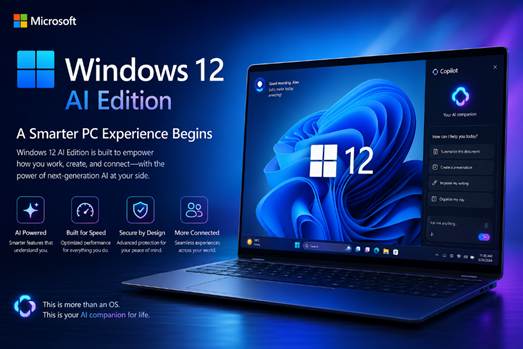

Computing is growing to higher levels of smartness. AI has gone beyond chatbots and become the core of modern operating systems. The next generation Windows 12 AI Edition, as imagined by Microsoft, will revolutionize how people work, study, create, and play.
It can be the biggest upgrade Microsoft has received in years, featuring productivity tools powered by AI, customized desktops, and others. It is thought that PCs will evolve into smart assistants that learn behavior, automate tasks, and enhance performance on the fly.
Artificial Intelligence-Powered Productivity Never Before.
Windows 12 AI Edition comes with Copilot 2.0, an anticipatory assistant. It provides real-time writing feedback when making reports, summarizes long documents and prepares presentations using voice. The AI capabilities span the entire native applications, simplifying work. The interface is customized to suit various users- designers, students and CEOs.
What is Microsoft Windows 12 AI Edition?
Windows 12 AI Edition is theorized to be the next operating system, with AI deeply integrated. Although it is not yet confirmed, leaks indicate that AI will be heavily integrated into Windows.
Windows 12 has the potential to make computers intelligent, adaptable devices as compared to the older versions, which were highly focused on design and security. AI can also maximize battery life, multitasking and content creation in apps.
Copilot is a Windows 11 application. Windows 12 would build on this, and AI would be at the center of the user experience.
The reason why Microsoft is concentrating on AI is that
The global AI race is escalating. Tech giants such as Google, Apple, and OpenAI are committing colossal sums of money to develop AI. Another firm with a strong relationship with OpenAI is Microsoft, which strives to incorporate high-level AI into its products.
This is because individuals are interested in quicker workflows, more intelligent automation, and personalized experiences. AI minimizes redundancy and provides efficiency.
Examples:
- A touch of a button can shorten long notes for the students.
- Outlines can be developed quickly by the authors.
- It enables editors to make subtitles and effects automatically.
- AI can assist employees in categorizing their emails.
Microsoft understands that computers of the future will not only need to run programs but also support users.
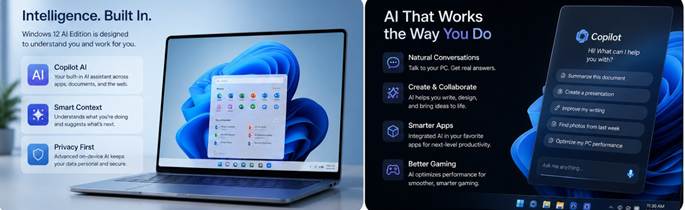
Expected Features of Windows 12 AI Edition
1. AI-Powered Desktop Assistant
Embedded companion AI can predict needs, including reminders about appointments, proposing files, and automatically summarizing reports.
Examples: Opens spreadsheet at 9 AM? Workspace preps itself. Swifter experience.
2. Intelligent Performance Enhancement
Machine learning is smart on the distribution of CPU, RAM and energy.
Examples: Gaming enhances graphics, browsing gets rid of background activities. Laptops are more productive.
3. Adaptive User Interface
The OS re-invents behavior-based widgets, wallpapers and shortcuts.
Examples: students view study aids; developers are provided with innovative applications; employees are offered calendar extensions. Productivity rises.
4. Next-Generation AI Search
Plain-language search involves searching using plain filenames, rather than exact ones.
Sample: Show the example of last week’s marketing slideshow – AI comprehends the context and loads it in real-time—less frustration.
5. AI-enabled Enhanced Security.
Live scan of behavior detects malware, phishing and suspicious logins.
Examples: Has an unknown program been used to access sensitive files? It is blocked, and the user is informed at the moment. Safer for all.
The Windows 12 AI Edition: What this version could do to alter the normal computer practices.
Changes in visuals may not be the most important change. The human-computer interaction revolution is the real revolution.
Existing PCs have to be controlled to a large extent manually. Users are responsible for starting programs and arranging files and workflows. Most of these functions can potentially be automated by the Windows 12 AI Edition.
For example:
- AI would be able to classify downloads automatically.
- It is possible to summarize the emails and go through them afterwards.
Meetings:
- It is possible to create instant notes in meetings.
- Photos can be arranged intelligently.
This is adding to a human-need-oriented computing environment.
It has a voice for students and innovators of the creative industry.
Both students and content producers can benefit greatly from AI.
For Students:
- Faster research organization
- Automated note summarization
- Intelligent study reminders
- Better online learning facilities.
For Content Creators:
- AI image refinement
- Immediate script suggestions
- Automatic transcription
- Smart video enhancement
Example:
AI-based caption, audio cleaning and thumbnail suggestions can be designed within Windows applications.
This can result in a significant reduction in the number of hours of manual labor.
Will Windows 12 need new hardware?
One of the most important issues related to Windows 12 AI Edition is hardware compatibility. Microsoft can also make users more inclined to NPUs (Neural Processing Units), chips specifically designed to process AI workloads. The ancient machines can still be used with Windows 12, but the recent AI development might need more up-to-date devices. Intel, AMD and Qualcomm are already planning AI-related processors, and the successor laptops will be possibly much smarter and faster.
Smarter Security, Smarter You
This version offers enhanced security. Windows 12 AI Edition uses machine learning to identify anomalies on the fly, preventing threats. The smart firewall will learn the user’s activity and then categorize benign activity and threats with high precision. It introduces the most robust security system integrated into a consumer operating system, both for businesses and individuals.
The AI PC Market Competition.
Microsoft is not the only one in this race.
Apple is introducing AI features in macOS. Google is increasing the use of AI across Chrome OS and the Android ecosystem.
Nonetheless, Microsoft is too far ahead. Windows commands the worldwide PC landscape. Millions of business and academic institutions and professionals rely on Windows in their day-to-day activities.
If Windows 12 AI Edition delivers a frictionless experience through intelligent computing, Microsoft could solidify its position as the intelligent computing leader.
Potential Challenges
Although it is exciting, there are still many impediments.
Privacy Concerns:
Smart technologies tend to collect a lot of personal information. Some may raise criticisms of the ways Microsoft gathers and analyzes data.
Hardware Costs:
The initial personal computers with AI can be sold at a high price.
Learning Curve:
Some users might face challenges adopting the new AI-assisted operational patterns.
Internet Dependency:
High-end AI and cloud applications may require high-quality broadband services.
These are some of the major problems Microsoft needs to address carefully to retain consumer confidence.
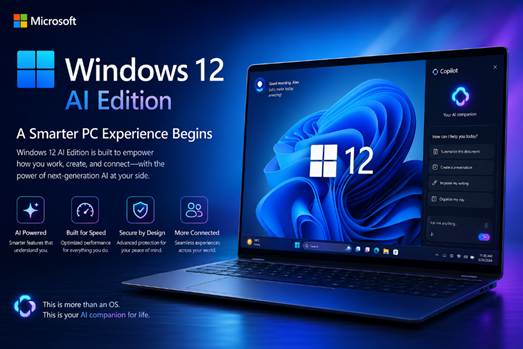
Smart Operating Systems: The Future.
Windows 12 AI Edition has the potential to mark the start of a more radical development in computing history.
Previously:
- Desktop computers were focused on computational abilities.
- Portability was the focus of mobile gadgets.
- Cloud infrastructure emphasizes access to the network.
The present generation can be termed as AI-centred operating systems.
Future generations of machines can interpret situational context, anticipate needs and intuitively help users. Such transformation can be a paradigm of efficiency, interpersonal communication, teaching, and leisure.
Microsoft seems keen to lead the way in this paradigm shift.
An individualized Digital Environment.
Windows 12 AI Edition has advanced personalization. It is a dynamic interface for users that personalizes the user experience. Smart power control prolongs battery life, and automatic screen brightness reduces eye fatigue when working late at night at the end of the day – everything is about the user.
The Future Starts Today
The Windows 12 AI Edition release will be a significant shift in the computing paradigm. Microsoft boasts this release as the greatest intelligent desktop, and early adopters have reported a 40% increase in productivity, and developers have praised the simple-to-use AI platform.
Whether it’s a Windows 11 upgrade or a migration from another operating system, this version will change the user experience. It’s no longer a question of using AI in your OS; it’s a question of not using it.
Final Thoughts
Microsoft Windows 12 AI edition could be the next version that will transform the computer industry. The company has the potential to deliver smarter, faster, and more personalized PCs with AI woven into its operating system.
With machine learning-enabled productivity apps and intelligent resource management, the next generation of Windows is more intuitive.
Provided that the technology giant can find the perfect balance between innovation, privacy and usability, this launch may turn out to be one of the most impactful software launches in the history of computer technology.
The age of AI PCs is no longer far-fetched. It can start with Windows 12.
FAQs
1. What is Windows 12 AI edition?
Windows 12 AI Edition is likely to be a high-AI, highly automated operating system from Microsoft.
2. Will Windows 12 AI improve the performance of PCs?
Yes. AI-driven resource management can be used to optimize CPU, memory, and battery usage to achieve higher speed and efficiency.
3. Requirement to acquire a new computer to use Windows 12 AI Edition?
Certain higher levels of AI might require contemporary AI-optimized hardware, including Neural Processing Units.
4. What is AI going to do to assist consumers in Windows 12?
AI could automatically handle tasks such as file management, email summaries, intelligent search, productivity recommendations, and enhanced security measures.