

Samsung has announced the release of the latest One UI 9 Beta update for the Galaxy S26 series of flagship phones. The update features new, smarter AI capabilities, improved speed, new privacy controls and a reimagined user experience based on the latest version of Android.
This is a beta version for Galaxy users to get a glimpse of Samsung’s future smartphone lineup. Artificial Intelligence, adaptive performance and smooth device connectivity are the key points in the update.
The new One UI 9 Beta is now available for all premium Galaxy S26 models, including the Galaxy S26, S26+, and S26 Ultra.
Samsung Pushes AI Into Everyday Smartphone Use
Samsung is still carving out a niche for itself in the AI-powered smartphone segment. The company has introduced several smart features with One UI 9 Beta that will make tasks easier, take better photos, play games better, stay more secure and optimise battery life.
This update leverages cutting-edge AI processing on the device and in the cloud.
Users are now able to enjoy:
- Smarter voice interactions
- AI-powered photo editing
- Adaptive battery learning
- Real-time translation
- Predictive multitasking
The animation and transitions are quicker.
The Samsung update claims to enhance both performance and efficiency, without sacrificing battery usage.
One UI 9 Beta is what?
One UI is Samsung’s own UI, which is custom-designed for Samsung’s Galaxy phones. Beta is for beta users – those who can test the new features before the stable release.
The One UI 9 Beta is based on the latest Android architecture and has significant improvements in the following areas:
- User interface design
- Artificial Intelligence integration
- Security systems
- Device ecosystem synchronisation
- Gaming optimization
The beta program also helps Samsung identify bugs and improve performance before the international release.
The key features of Samsung One UI 9 Beta are as follows:
1. Galaxy AI Assistant Integration.
Samsung has implemented Galaxy AI throughout the operating system.
The AI assistant now recognises the user behaviour patterns and anticipates user actions based on the daily usage habits.
Examples:
- Offering applications before meetings.
- The battery saving modes are automatically recommended when needed.
- Organising notifications intelligently
- AI can summarise lengthy messages. AI can summarise long messages.
To enhance conversational understanding, Samsung uses Natural Language Processing technology.
Technology Used
- Large Language Models
- A dedicated device that performs specific tasks quickly and efficiently.
- Machine Learning Algorithms
- On-device AI computation
2. Advanced AI Photo Editing.
The Samsung AI image processing tools are brought to the gallery app with the next generation.
Users can:
- Remove unwanted objects
- Enhance blurry photos
- Add realistic background fills:
- Improve low-light photography
- Generate AI portrait effects.
The system features Generative AI technology and Samsung’s image signal processor.
How AI assists with editing.
This mechanism takes place in three steps:
1. Image Detection
AI recognises objects, faces, shadows and backgrounds.
2. Scene Analysis
Lighting, depth and texture are analysed in machine learning.
3. Generative Reconstruction
AI re-generates missing areas of the image naturally.
This enables the smartphone to be used to create professional-level edits in real-time.
Enhanced Security & Privacy Technology
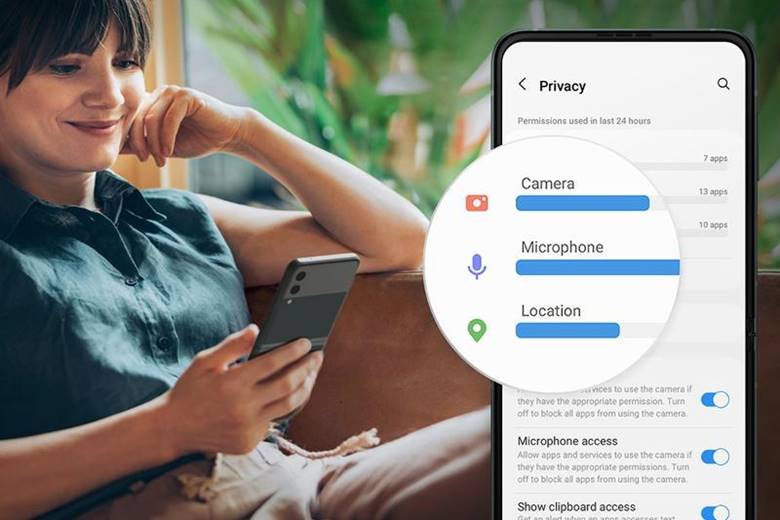
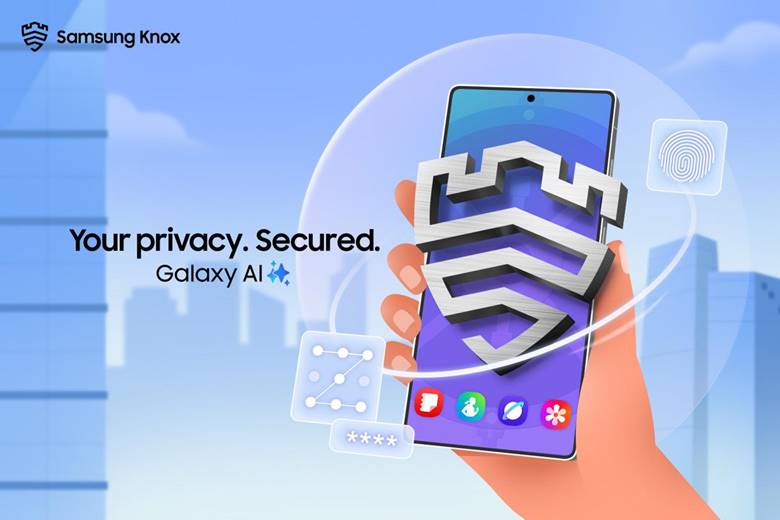
Samsung has beefed up security with Knox AI Protection.
The following are changes added to One UI 9 Beta:
- Real-time app monitoring
- AI-based malware detection
- Encrypted cloud synchronisation
- Personalised AI Processing areas
Samsung Knox Mechanism
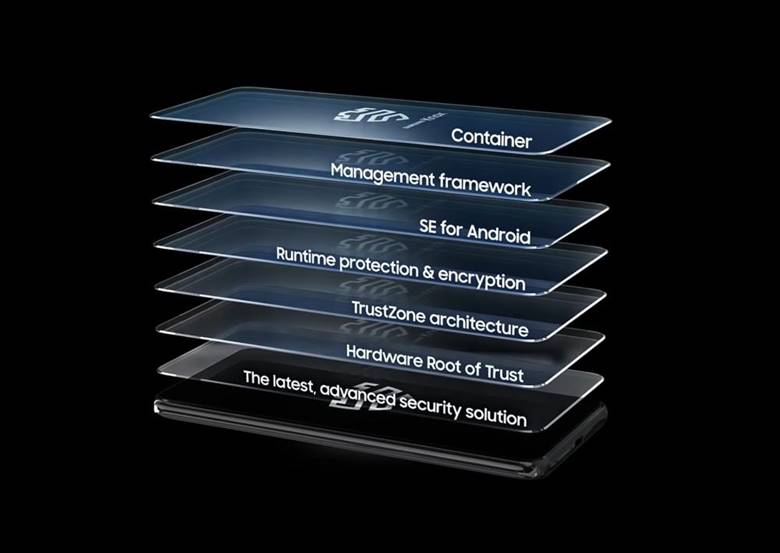
Samsung Knox is based on a multi-layered security design.
The mechanism includes:
- Hardware-level encryption
- Secure boot verification
- Real-time kernel protection
- AI threat monitoring
This reduces the risk from malicious Apps and cyberattacks.
Smarter Battery Optimisation System
One UI 9 Beta’s standout feature is battery optimisation.
Samsung uses Adaptive Power Intelligence technology.
The AI system learns from:
- Charging habits
- App usage frequency
- Screen-on time
- Gaming patterns
- Background activity
Example
Users who typically go to sleep at 11 PM will see that the AI begins throttling charging after 80% and finishes charging just before waking up. This will help ensure that the battery’s long-term health is better.
Technology Used
- Deep Learning Models
- Behavioural Analytics
- AI Power Scheduling
This mechanism helps extend battery life and prevent overheating.
Faster Gaming Performance
Samsung has made One UI 9 a better gaming experience.
The update introduces:
- GPU resource balancing
- AI frame stabilisation
- Reduced touch latency
- Improved thermal management
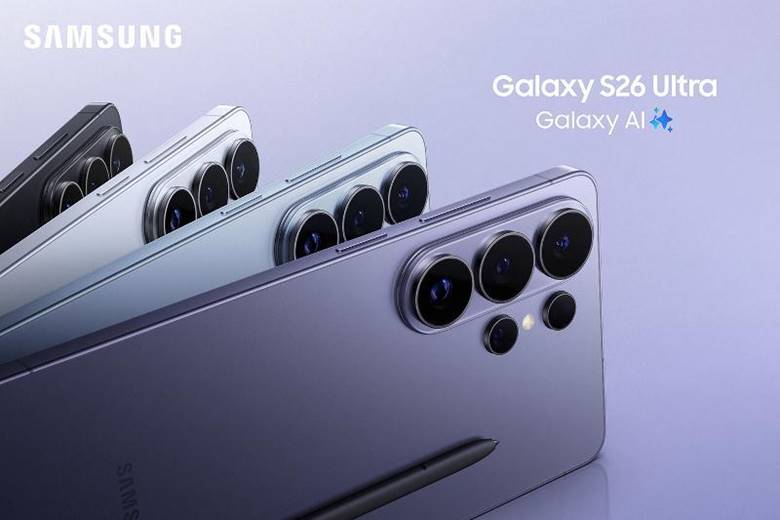
The Galaxy S26 Ultra is particularly enhanced by its cutting-edge cooling features.
Gaming Technology
Samsung combines:
- Vapour chamber cooling
- AI GPU optimisation
- Dynamic RAM allocation
- Real-time thermal analysis
It keeps the frame rate constant during intense gaming.
Redesigned User Interface
Samsung refreshed multiple visual aspects.
Changes include:
- The quick settings panel is cleaned up.
- Smoother animations
- Improved widgets
Customise your lock screen with a new feature.

- Dynamic wallpapers
- The user interface is quicker, sleeker, and more user-friendly.
Samsung also included AI-generated wallpapers tailored to the user’s preferences.
Enhances Cross-Device Connectivity.
One UI 9 bolsters Samsung’s ecosystem connectivity.
Now users can seamlessly link their Galaxy devices with:
- Galaxy Tablets
- Galaxy Watches
- Galaxy Buds
- Samsung Smart TVs
- Windows PCs
Mechanism Used
Samsung uses:
- Bluetooth LE
- Wi-Fi Direct
- Cloud synchronisation
- AI device pairing
This provides a smooth handoff between devices.
Example:
Users can play a video on a Galaxy S26 Ultra and seamlessly switch to a Samsung Smart TV.
One UI 9 Beta Eligible Devices
The beta program is currently taking place for:
- Galaxy S26
- Galaxy S26 Plus
- Galaxy S26 Ultra
Samsung’s support towards the selected foldables and flagship devices will be expanded later.
Join the One UI 9 Beta Program:
Users can join via the Samsung Members app.
Steps:
- Open Samsung Members
- Sign in to your Samsung account.
- Tap the “Install” button for the One UI 9 Beta.
- Register your device
- Restart the computer.
- Install the beta update.
Before installing beta software, users should ensure their important data is backed up.
Possible hazards of beta software.
Even though exciting, beta software can have the following characteristics:
- App crashes
- Battery drain
- Performance bugs
- Compatibility issues
Patches are released by Samsung periodically during the beta testing period.
What is One UI 9 and why is it important?
Samsung is taking a major leap towards AI-powered smartphones.
One UI 9 Beta features a look at what future smartphones will look like:
- Learn user habits
- Automate tasks
- Improve productivity
- Enhance privacy
- Deliver personalised experiences
The update makes smartphones more than just a means of communication; it makes them digital assistants.
Final Thoughts
The Galaxy S26 series gets an overhaul in AI, performance, privacy, and connectivity of its ecosystem with Samsung’s One UI 9 Beta.
The update, in fact, is a testament to Samsung’s ongoing commitment to mobile computing with AI. The Galaxy S26 series also packs in cutting-edge security features, adaptive battery management, and generative AI editing, further enhancing its capabilities.
One UI 9 Beta is an exciting release for tech enthusiasts and Galaxy users, providing a glimpse into the future of smartphone technology.
FAQs
1. What is Samsung One UI 9 Beta?
One UI 9 Beta is Samsung’s initial test release of its newest Android-powered smartphone UI.
2. What cell phones are compatible with One UI 9 Beta?
The Galaxy S26, Galaxy S26 Plus, and Galaxy S26 Ultra are the only devices currently in the beta program.
3. Does One UI 9 use Artificial Intelligence?
Yes. One UI 9 showed extensive use of AI technologies such as machine learning, Natural Language Processing and generative AI.
4. Can you install One UI 9 Beta?
While safe to test, users might encounter bugs, battery drain or application compatibility problems with the beta.