

This had long been predicted in the industry. Apple’s WWDC rollout of its complete AI roadmap at WWDC 2026 was not a cosmetic upgrade but an overhaul of the relationship between man and machine.
Rather than competing on raw computational power, Apple’s WWDC focused on privacy, on-device processing, and ecosystem cohesion, unlike its competitors, who relied on the cloud.
This discussion covers Apple’s vision of AI, its key features, its implementation and application in real-world scenarios, and its implications for users and developers.
When and Where Is WWDC 2026?
Apple’s 37th WWDC runs from 8–12 June 2026. The keynote will be broadcast live on 8 June at 10 a.m. PT on the live platforms. It will be available as a free virtual streaming, with a limited in-person event at Apple Park in Cupertino for developers and the winners of the Swift Student.
Apple WWDC 2026: Dates, iOS 27, AI Updates & Keynote Highlights
Apple has officially announced the date of its 37th Worldwide Developers Conference (WWDC 2026), which will be held on June 8–12, 2026. The event will open with the keynote speech on Monday, June 8, at 10:00 a.m. Pacific time (1:00 a.m. Eastern time / 10.30 p.m. Indian Standard Time).
Event Format & How to Watch
WWDC 2026 is a hybrid of free online streaming (through the Apple Developer app, Apple.com, YouTube and bilibili) and a limited in-person event at Apple Park on June 8. Winners of the Swift Student Challenge and developers interested in on-site access can request it via the Apple Developer portal.
Apple’s AI Philosophy: Private, Personal, Powerful
Apple ensures 100 per cent ownership of data. It is based on a dual system, with tasks executed locally and complex requests sent through encrypted private servers. Unlike cloud-dependent AI, it operates locally and routes complex requests through encrypted private servers.
Core Principles:
- User data sovereignty
- Local device processing
- Cross-device fluidity
- Adaptive user cognition
Your phone learns your habits, routines, schedules, tastes and preferences internally, not externally.
Example: When you send text messages to family every night at 9 pm, the phone auto-suggests sending the message at that time. Zero Internet. No external data sharing.
Apple Intelligence: The Core AI Engine
Apple’s WWDC announced Apple Intelligence, an embedded operating system-level framework- not an application. It supports intelligent capabilities in iOS, macOS, and iPadOS.
Key Functions:
- Intelligent writing support
- AI-curated notifications
- Context-sensitive recommendations
- Instant language processing
Example: When typing an email, one can formalize, condense or correct the text instantly.
It is a native application, unlike external applications, and can be used in Mail, Notes, and Messages.
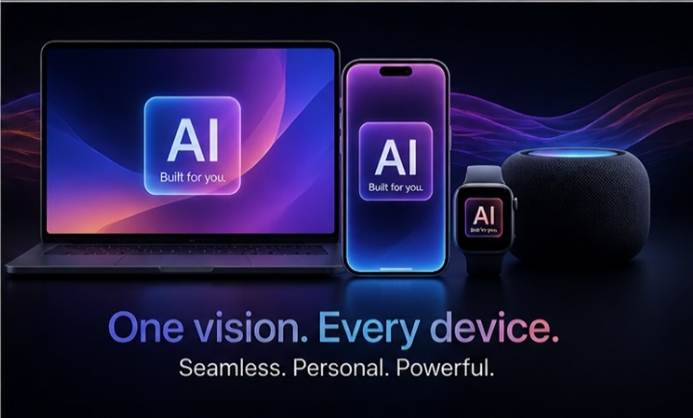
Siri 2.0: A Real Upgrade
Siri has undergone its most significant upgrade since its launch.
In the past, Apple’s assistant struggled with tricky tasks. It now performs multi-step instructions much better, particularly in terms of contextual knowledge.
Key Improvements
- Fluid dialogue continuity
- Memories of past experiences.
- Deep app interoperability
- Active display comprehension
Order: Please send Rahul’s file to my boss. Now Siri recognizes the contact, attachment, and recipient- something that could not be done before.
iOS 20 Integration
The upcoming OS will widely incorporate machine learning into everyday work processes.
Apple WWDC 2026 vs Siri 2.0
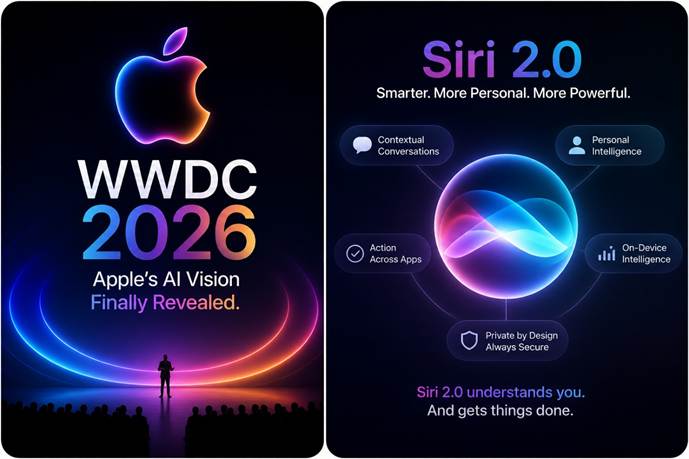
Table:
| Feature | Apple WWDC 2026 | Siri 2.0 |
| Definition | Annual Apple developer event | Apple’s AI-powered voice assistant upgrade |
| Focus | Full ecosystem AI strategy | Personal assistant intelligence |
| Purpose | Show new software, AI tools and future vision | Help users in daily tasks with AI |
| Scope | iOS, macOS, iPadOS, visionOS, devices | Mainly user interaction and automation |
| AI Integration | System-wide AI across all apps and devices | Deep conversational AI inside Siri |
| Key Highlight | “AI everywhere” approach | Human-like conversation and context awareness |
| User Experience | Developer tools + system features | Direct user interaction |
| Capabilities | On-device AI, privacy focus, cross-device sync | Task execution, reminders, suggestions |
| Learning Ability | Platform-level learning | Personal behavior learning |
| Target Audience | Developers + general users | Everyday users |
| Example | AI writing tools in Notes, smart coding and automation | “Schedule my day”, “Summarize messages.” |
| Privacy | Strong on-device processing | On-device + secure AI responses |
| Impact | Changes the entire Apple ecosystem | Improves daily user productivity |
Major features
Smart Alerts — Devicescan now prioritize notifications. Work emails are the first to sort out; social updates are below.
Conversational Photo Search – Search the gallery using natural language. When typing in the following terms, wedding photos, me in a black shirt, there were instant results.
Real-Time Translation — Speech and text can be translated when making calls. The Hindi (input) is automatically translated to English (output).
AI Writing Tools – These are available in applications and enable you to transform your unrefined notes into refined drafts using AI automatically.
macOS Intelligence
The OS has become more of a productivity companion.
Features
- Automated file grouping
- Neural search
- Auto meeting summaries
- Developer code assistance
Example: Opening hundreds of files in a folder; auto-grouping by type, relevance and use takes place.
Quick debugging and coding tools can be used by developers, significantly reducing project time.
On-Device AI: The Game Changer
One of the most critical benefits Apple highlighted is that most AI calculations can be performed natively on-device.
Significance
- Lowered response latency
- Removed dependency on the network.
- Enhanced data confidentiality
- Reduced infrastructure expenditure
The company uses proprietary A-series and M-series silicon to optimise AI workloads at the point of need.
Illustrative Case
An iPhone, even offline, automatically summarises passages, suggests contextual replies and arranges information.
AI in Apps: Real-Life Impact
Apple has shown how artificial intelligence can improve everyday applications.
Messaging — intelligent response suggestions, voice modulation controls, and automatic condensation of content.
Email — sorting by urgency, smart message summaries, and context-sensitive reply prompts.
Note-taking – spoken-word conversion into organised documents and lengthy record abridgement.
Web Browsing — machine learning-based query results and article synopsis generators.
When opening an extended publication, the browser automatically generates a concise summary, saving time and improving efficiency.
AI for Students and Content Creators
Examples for students
- Transcribe lecture audio into notes.
- Summarise chapters.
- Generate practice questions.
Guidelines for content creators.
- Paraphrase content in different tones.
- Generate captions.
- Edit scripts quickly.
This directly helps with writing, research and academic work.
AI and Developers: New Opportunities
Apple has opened its AI framework to developers, enabling them to integrate Apple Intelligence into their apps. It enables the development of faster, easier-to-use, and customisable features. For example, a fitness app can suggest exercises based on your routine and store all data on-device. It is now possible to create smarter apps without compromising privacy.
How Apple WWDC Differs from Competitors
The business is working on enormous AI; one enterprise is focused on practicality.
Core Contrasts
- Remote-server models as opposed to on-device neural engines.
- Data harvesting and privacy-oriented encryption.
- Isolated applications or integration across the ecosystem.
This non-spectacle tactic is unobtrusive, honing everyday work processes without spectacle.
Remaining Gaps
- Capabilities are restricted by more modern hardware.
- Complex tasks have yet to receive cloud support.
- Users need adaptation time.
Support for legacy devices and the accuracy of voice assistants must be considered. Nevertheless, it is the firm’s largest AI development to date.
What This Means for the Future
Habits, not trends, define Apple’s architects’ habits.
What follows:
- Tasks self-execute
- Typing fades
- Devices anticipate
- Privacy hardens
- AI disappears into the machine–you cease to be aware of it.
Example: Your phone preempts you from tapping.
This rewires the relationship between human beings and machines.
Conclusion
WWDC 2026 was a major move as Apple rethought intelligent computing based on privacy, seamless integration and practical utility, integrating machine learning into native workflows to enhance productivity without jeopardizing trust, putting it in a better position to lead responsible AI development, not just compete.
new check: – Apple Announces WWDC 2026 Schedule, Sends Media Invites – MacRumors
FAQs
1. What is Apple Intelligence introduced at WWDC 2026?
Apple Intelligence is a system-wide AI framework integrated into Apple devices. It helps with writing, searching, organizing, and communication using on-device processing.
2. How is Apple’s AI different from other companies?
Apple focuses on privacy and on-device AI. Most tasks run locally, reducing data sharing and improving speed.
3. Does Apple AI work without the internet?
Yes. Many features, such as text summarization, writing assistance, and photo search, work offline via on-device processing.
4. Which devices support Apple’s new AI features?
Most features require newer iPhones, iPads, and Macs with advanced chips, such as A-series and M-series processors.
Related Post: – Fujifilm Instax Mini 13 Powerful Instant Camera – aziztechsolutions.com
3 thoughts on “5 Powerful WWDC 2026 Apple AI Innovations”